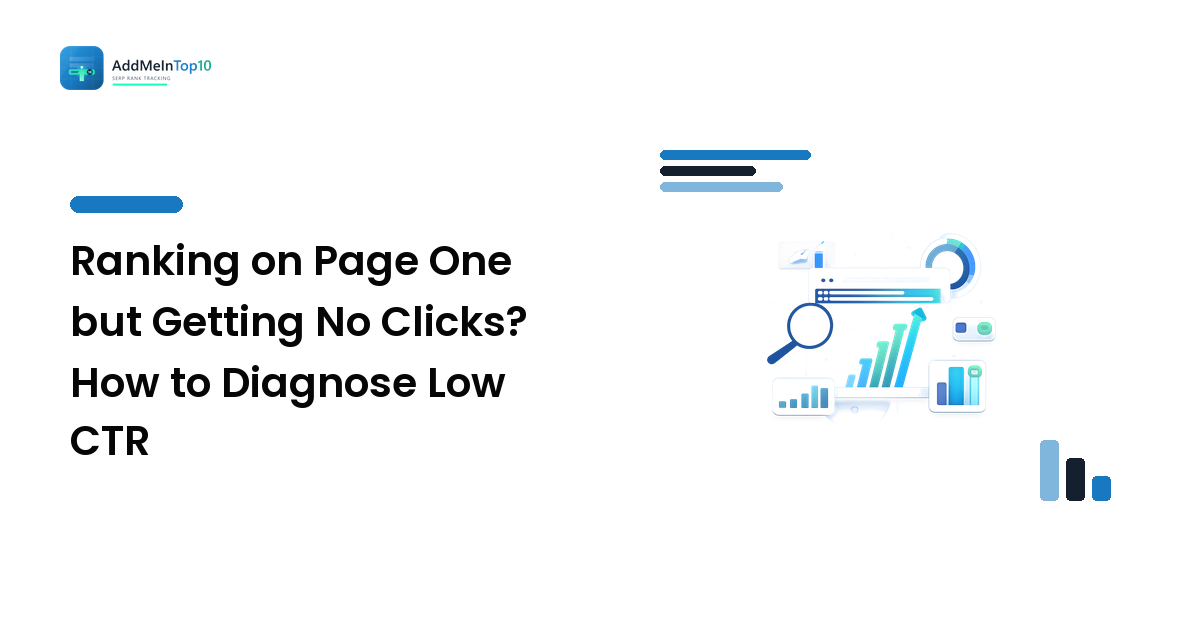
You finally cracked the top 10 for a keyword you care about. Search Console agrees: impressions are up, average position looks respectable, the graph tilts the right way. And the clicks line barely moves.
It's a confusing spot to be in, because every metric you were told to watch says you won — except the one that pays. The good news: "ranks but doesn't get clicked" has a small number of causes, separable by checks you can run yourself in an hour. The short version: before you rewrite anything, confirm the ranking is real (average position hides a lot), look at what the results page actually looks like for that query, then ask whether your listing is the kind of thing that searcher wanted. Only then touch the title. Rewriting the title first is the most common wasted afternoon in this whole diagnosis.
The three numbers, and what each one really means
Impressions, clicks, click-through rate and average position sound like a chain — rank higher, get more impressions, get more clicks — but each is measured differently enough that a mismatch between them is information, not a contradiction.
An impression means your result was present on the results page a searcher saw. Present is not the same as visible: it can be counted while sitting below an AI-generated answer, a People Also Ask block, a shopping carousel and a local pack — technically on page one, practically well below the fold. A click is the only one of the four that is a real human action on your listing.
Average position is where the trouble starts. It averages across every impression: every location, every device, every query variation that rolled into that row. A reported average of 7 can be a genuine #7 everywhere, or a #3 in one country and a #14 in another, or a #4 on desktop and a #12 on the mobile results where most of your audience actually searches. An average position cannot be low-CTR evidence until you know what it's averaging.
That's why controlled position checks matter: a check taken from a fixed location, device and language tells you the position your listing actually occupies for a specific searcher — the only version of "position" that can explain a click rate. Our guide to tracking rankings without fooling yourself covers the setup, and everything below assumes you've at least checked the query on the device and in the country your audience uses.
Work the causes in this order
The order matters: each step is cheaper than the one after it, and each rules out a reason the later steps would misdiagnose.
1. Is the ranking real where it counts?
Split the query by device and country in Search Console, then check it from your main market. If the honest position is #11 there and the average is flattered by a strong result somewhere irrelevant, you don't have a CTR problem at all — you have a striking-distance keyword, which has a completely different fix.
2. What else is on the results page?
Open the query in a fresh incognito window, in the right country and on the right device, and look at what sits above you. Your organic ranking is a position among the blue links — not a position on the page. What routinely absorbs the click first:
- AI-generated answers and featured snippets, which resolve the question in place, leaving nothing to click.
- People Also Ask blocks, which expand in place and keep the searcher on the results page.
- Local packs on anything with a "near me" flavour, which take the intent that had commercial value.
- Shopping, video, and image carousels, which push text results down and change what "position 6" means visually.
If the page is crowded, your low CTR is structural. The win is then either getting into the feature — answering the question crisply and early, in a form a snippet can quote — or targeting a query where the feature doesn't appear.
3. Does your listing match the intent behind the query?
Look at the results above you and ask what kind of page they are. All product pages? All comparisons? All tools? If yours is the odd one out, searchers scanning the page are skipping you on purpose. Intent mismatch produces exactly this symptom: a page that ranks (Google sees topical relevance) but doesn't get chosen (humans see the wrong type of thing). Related trap — the query is broader or narrower than your page. Either way the fix is a content decision, not a metadata one.
4. Read your listing the way a stranger would
Only now is it worth looking at the title and description. Search the query and read your snippet cold, in the context of its neighbours:
- Is the title truncated mid-thought? Search engines cut titles by display width, not character count, and the cut lands in a different place on mobile. If the useful half of your title is the half that got cut, that's fixable.
- Did the engine rewrite it? Google frequently replaces the title tag with text from the H1 or the page body, especially when the tag is stuffed, boilerplate-heavy, or a poor match for the query. If the snippet isn't the title you wrote, your title tag isn't the lever you think it is — your on-page headings are.
- Does the description answer the query or describe the company? An "about us" line loses to one that states what the searcher gets.
- Is there a date, and does it look stale? Where freshness matters, a visibly old date suppresses clicks even at a good position.
The mechanics of doing title and intent work well are in our on-page improvements guide.
When low CTR is normal and you should leave it alone
Not every low click rate is a defect. Chasing these wastes time and can make a page worse:
- Definitional and quick-fact queries. The answer is on the results page. Impressions and few clicks, forever — that's the query type behaving normally.
- Branded queries for someone else's brand. Ranking for a competitor's name generates impressions from people looking for them, not you.
- Very broad head terms. A page ranking #8 for a huge generic query collects impressions from a dozen intents it was never right for.
- Queries where your result is a supporting page. If the searcher wanted the homepage and got a deep sub-page, the mismatch is in the ranking URL, not the snippet.
The practical rule: judge CTR against the same query type, not a universal benchmark. Compare your unbranded, non-featured queries to each other and to your own history.
How to test a change without fooling yourself
CTR work often "doesn't work" because the test was unreadable from the start. Five disciplines fix that:
- Change one thing. Title, or intro, or format — not all three. Change three and a click rise teaches you nothing reusable.
- Write down the baseline first. Impressions, clicks, and position for that query, over a clean window before the change, filtered to your target country and device.
- Wait for the new snippet to actually show in the results before you count anything.
- Compare like windows. Two full weeks against two full weeks; otherwise weekday and seasonal patterns write your conclusion for you.
- Watch position and clicks together. If clicks rose while position also rose, you did not prove your title worked — positions move on their own constantly, and a rank change is the far bigger lever. Only a click rise at a flat position is evidence about the snippet.
FAQ
Why do my impressions keep growing while clicks stay flat? Usually because the new impressions come from queries you rank poorly for, or from positions below the fold. Break the trend down by query — a site-level chart averages winners and non-starters together.
Does a low click-through rate hurt my rankings? Treat this as unsettled and don't build a strategy on it. The reliable reason to improve CTR is that clicks are the traffic — a direct benefit that doesn't depend on any theory about ranking signals.
My title tag isn't what shows in Google. Can I force it? No. You can make it a better candidate — accurate, matched to the query, not stuffed or padded with boilerplate — and make sure your H1 and opening content say the same thing, since rewrites often pull from there. Consistency between title, H1, and content is the practical lever.
Low CTR at a good position is a diagnosis problem before it's a copywriting problem. Get the position honest, look at the page the searcher actually sees, check the intent, and only then rewrite — measuring against a baseline you wrote down beforehand.
Ready to stop guessing at averages? Track your rankings with Add Me In Top 10 — controlled position checks by location and device, so the number you're diagnosing is the one your searchers actually see.